

How to publish
1
Review your app
Make sure the prompt, references, and starter inputs are ready. Test the app from the builder before publishing.
2
Click Publish
Click Publish at the top of the app builder. The Publish dialog explains who will be able to see the app and where they’ll find it. Manage in share jumps to the Share dialog if you want to change that first.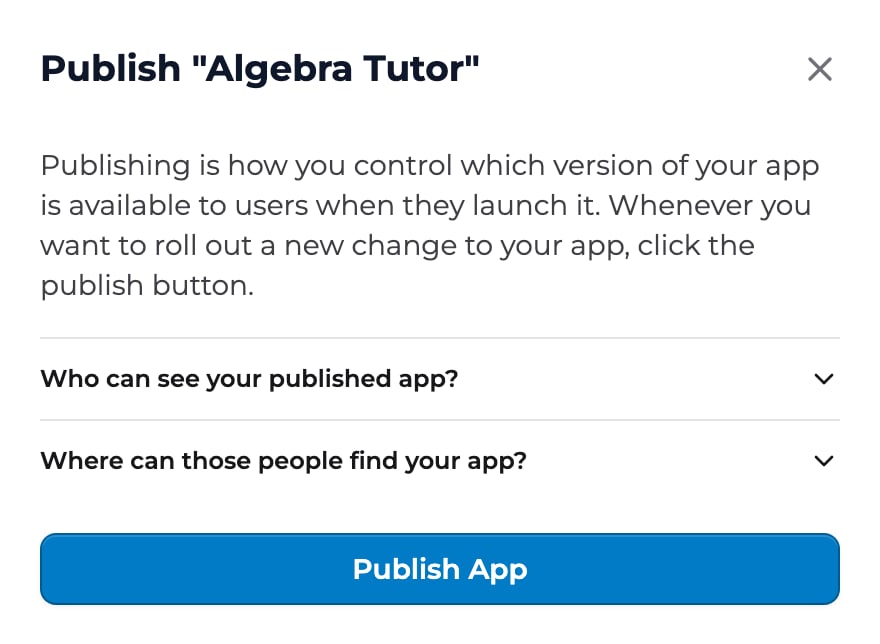
3
Click Publish App
The app goes live, and the dialog’s button changes to Unpublish in case you need to undo it. The button at the top of the builder now reads Published, and the status next to it shows when you published and who can open the app.
4
Choose who can open it
Click Share. Under Users, set the General audience (described below), and add individuals, groups, or organizations as users. Users can only be added once the app is published.
Publishing changes
Edits you make in the builder are saved as you go, but people using the app keep getting the published version until you publish again. When the builder has edits that aren’t live yet, the button at the top changes from Published to Publish new changes.1
Click Publish new changes
The button is at the top of the builder, next to Share. It opens a menu.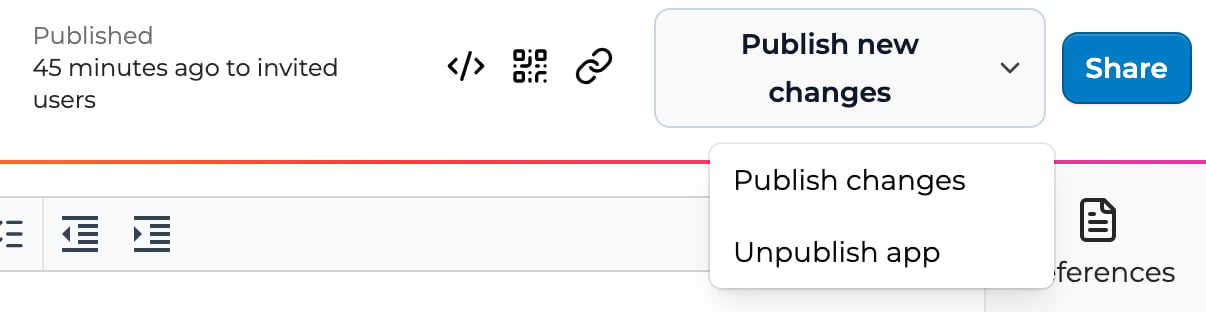
2
Choose Publish changes
Your latest version replaces the published one for everyone with access. The button goes back to Published.
General audience
Once an app is published, the General audience setting in the Share dialog decides who can open it beyond the people you add by name. Only those invited Only the people, groups, and organizations you add in Share can open the app. It appears on their Shared with me page. This is the most restrictive setting and suits class-specific apps you don’t want spreading. Your organization (listed by its name) Anyone in your organization can open the app, in addition to the people you add. It appears in your organization’s shared apps. They don’t need to be in your space. Playlab Anyone with a Playlab account and the link can open the app, no sharing required. Public Anyone with the link can open the app, no account required. People you add by name can open the app whatever the general audience is. Your organization can turn off Playlab and Public. Org admins can turn off public apps for the whole organization. When they do, Playlab and Public are greyed out in the Share dialog, and hovering them shows “Your admin has turned off sharing outside of your organization”. You can still choose Only those invited or your organization, and you can still add people, groups, and organizations by name.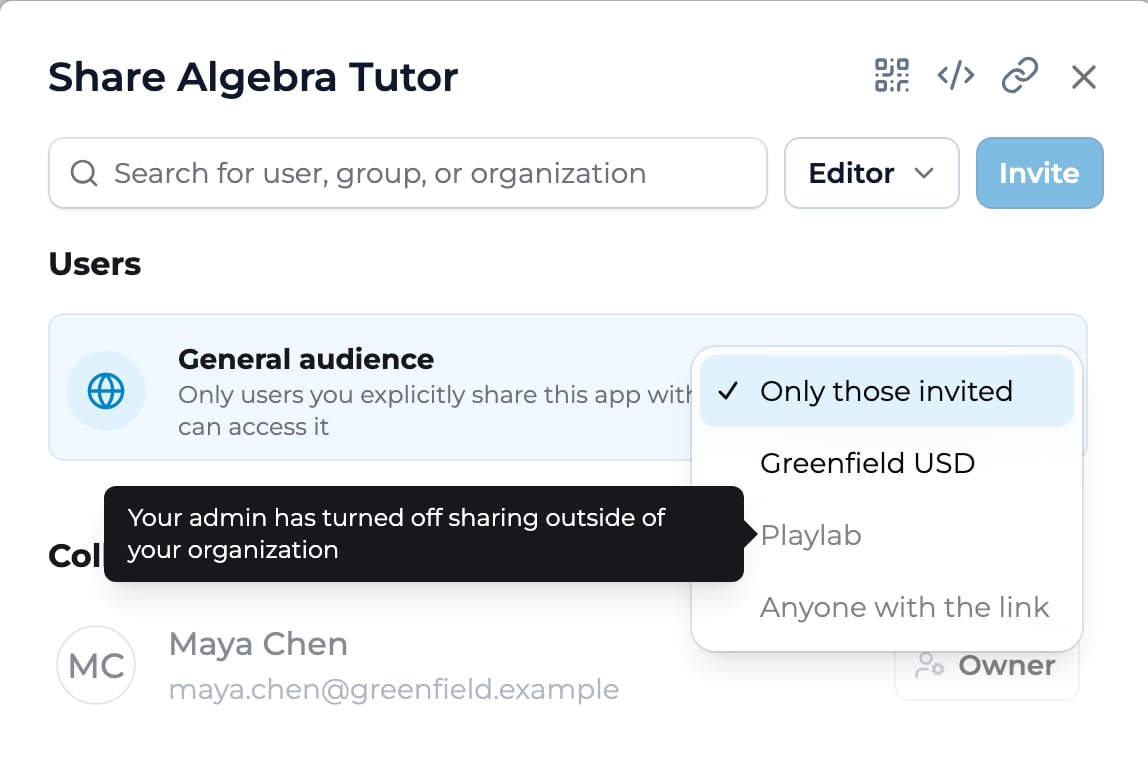
For org admins: turning off public apps
Org admins can stop apps in their organization from being shared with all Playlab users or the public.1
Open your organization's settings
Under App Capabilities, find Allow apps to be shared publicly. It’s on by default.
2
Turn it off
A confirmation shows how many apps are currently shared with all Playlab users or the public.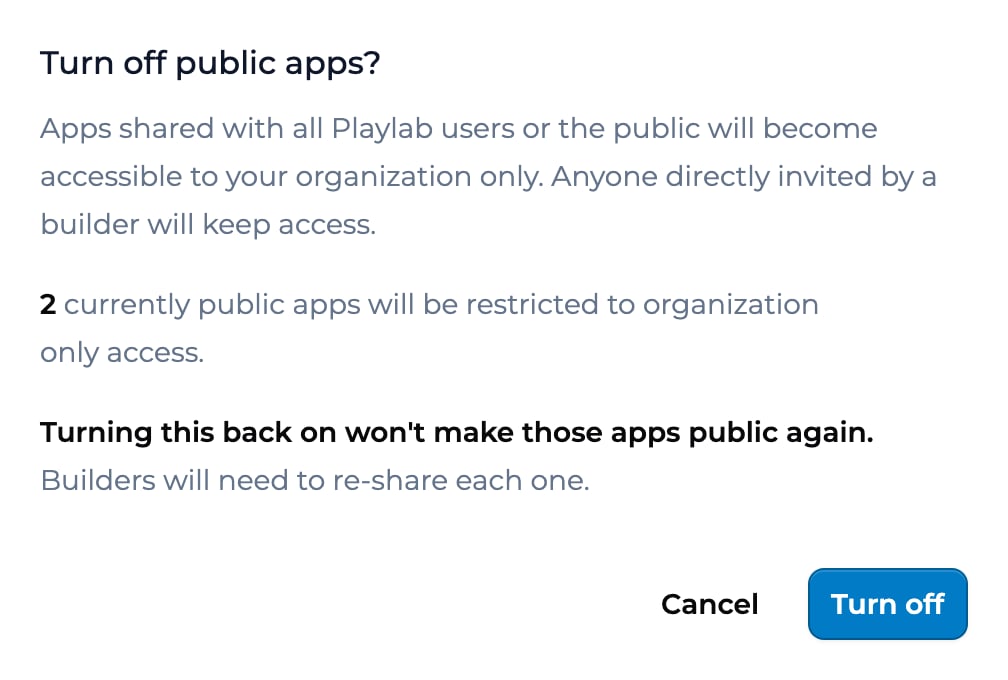
3
Click Turn off
Those apps become accessible to your organization only. Anyone a builder invited directly keeps access.
Sharing directly with people, groups, or orgs
Direct sharing works alongside the general audience. Click Share, type the recipient, pick a role, and click Invite. For the deeper guides, see Sharing with individuals and Sharing with groups and orgs.Best practices
A few things that have worked for builders shipping apps: Keep the general audience at Only those invited and share with specific people during a pilot. You stay in control of who tests the app and you avoid distributing an app that is not ready. Publish a first version quickly and iterate. The Editor model and direct sharing make iteration cheaper. Each time you publish changes, they reach everyone with access, so you can ship small improvements often. Write a short description before publishing. The description shows on the app card, and a clear one-line summary helps people pick the right app.Key points
- Publish puts a version live; Share controls who can open it
- After you edit a published app, Publish new changes → Publish changes puts the edits live
- Users can only be added once the app is published
- General audience: Only those invited, your organization, Playlab, or Public
- People you add by name can open the app whatever the general audience
- Org admins can turn off the Playlab and Public audiences for their organization
FAQ
Can I unpublish my app?
Can I unpublish my app?
Yes. Open the Published (or Publish new changes) menu at the top of the builder and choose Unpublish app. Right after you publish, you can also click Unpublish in the Publish dialog. The app stops being available to users. The people you shared it with stay listed in Share, but they can’t open the app until you publish again.
What happens when I publish an update?
What happens when I publish an update?
The new version replaces the old one for everyone with access. Conversations users had with prior versions are preserved. New conversations use the latest published version.
Can I monetize a published app?
Can I monetize a published app?
No. Playlab has no way to charge people for using an app you build.
Did the space-only visibility level go away?
Did the space-only visibility level go away?
Yes. The general audience options are Only those invited, your organization, Playlab, and Public. To give a space’s members an app, add it to the space with Add apps; they can launch it once it’s published.
Can I schedule a publish for a future date?
Can I schedule a publish for a future date?
No. Publishing happens as soon as you click Publish App. For a coordinated launch, add your co-builders as Editors ahead of time, then publish and add Users on the day.
Will my published app be findable through search engines?
Will my published app be findable through search engines?
No. Playlab asks search engines not to crawl app pages, whatever the general audience. People can still open a Public app from its link.
How do I republish if I made a mistake?
How do I republish if I made a mistake?
Fix the app in the builder, then click Publish new changes and choose Publish changes. See Publishing changes. History (the clock icon) shows how the instructions changed between versions, but it can’t restore an old version.
Last updated: 10-14-2026 Contact us at [email protected]