

Why this mattersWell-designed starter inputs streamline interactions, collect what you need upfront, and make your app more useful. They are often essential for purposeful, structured conversations.
Watch how to add starter inputs
A short walkthrough of building with starter inputs in a Playlab app.How to add starter inputs
1
Open the Inputs menu
On the right-hand navigation in your app editor, click the Inputs button. The starter inputs configuration panel opens.
2
Add and configure inputs
Click Add starter input to begin.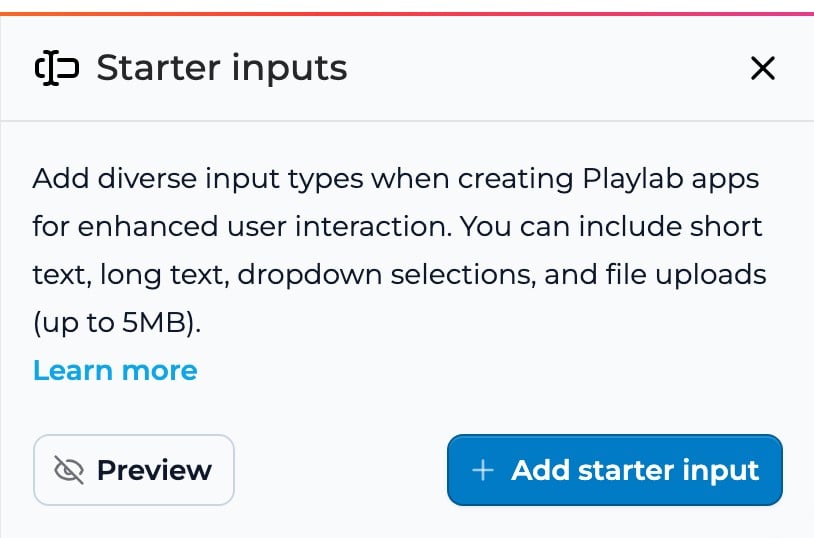
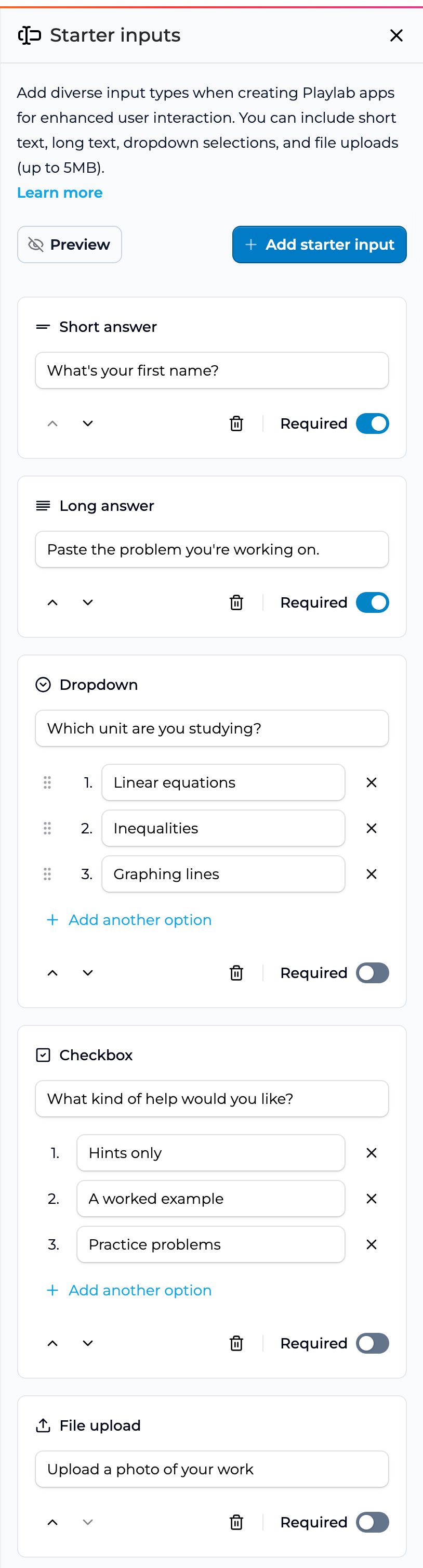
- Short answer: brief responses like names or short answers
- Long answer: longer responses like descriptions or feedback
- Dropdown: select a single option from predefined choices
- Checkbox: select multiple options from predefined choices
- File upload: accept files up to 5MB (images, PDFs, CSVs, and more)
- The question, up to 250 characters
- Whether the input is Required or optional
- At least two options for dropdowns (drag an option by its handle to reorder them)
- At least one option for checkboxes (users can pick any combination)
3
Use input data in your app
Reference the collected information in your app’s instructions and prompts. Update prompts to incorporate user-provided data, test how the inputs change the conversation, and refine based on what you see.
Best practices
A few patterns that have worked: Keep it focused. Only ask for information that is essential for your app to work. Match the input type to the data. Short text for names; long text for detailed feedback; dropdowns for single-choice; checkboxes for multi-select; file upload for documents or images. Make questions clear and specific so users know exactly what to provide. Put examples in the question itself, since starter inputs have no separate placeholder text. Arrange inputs in a logical sequence that matches the flow you want. Balance required and optional fields. Too many required fields can feel overwhelming. Test with different inputs to make sure your app handles every response gracefully. Preview before publishing so you experience your app from the user’s side.FAQ
What types of starter inputs can I add?
What types of starter inputs can I add?
Five types: Short answer for brief responses, Long answer for extended responses, Dropdown to pick one option from a list, Checkbox to pick any number of options from a list, and File upload for a file up to 5MB (images, PDFs, CSVs, and more). An app can have only one File upload input.
How many starter inputs should I include?
How many starter inputs should I include?
As few as your app needs. You can add up to 50 starter inputs, but every one is something users must get through before they start. Ask only for what your app actually needs to work.
Can I change starter inputs after publishing?
Can I change starter inputs after publishing?
Yes. Your changes save in the builder right away, but people using the published app keep seeing the old starter inputs until you publish again.
How do I use the information collected from starter inputs?
How do I use the information collected from starter inputs?
Reference specific inputs in your app’s instructions and prompts, customize the conversation flow, process uploaded files for relevant data, and use checkbox selections to personalize responses.
Are starter inputs visible to all users of my app?
Are starter inputs visible to all users of my app?
Yes, every user who opens your app sees the configured starter inputs. If you need different inputs for different audiences, create separate versions of the app.
What happens if a user skips an optional starter input?
What happens if a user skips an optional starter input?
Your app proceeds without that data. Make sure your app’s logic handles missing optional inputs gracefully.
Can I use uploaded files in my app's functionality?
Can I use uploaded files in my app's functionality?
Yes. Files uploaded through starter inputs can be processed in your app: analyzing CSV data, extracting text from PDFs, or using images as reference material. Include instructions in your app for how to handle uploads.
When should I use Dropdown vs Checkbox?
When should I use Dropdown vs Checkbox?
Dropdown when users should pick exactly one option from a limited set. Checkbox when users might pick multiple options that aren’t mutually exclusive. Both ensure consistent, predictable responses and prevent typos compared to free text.
Need support?
Email [email protected] if you run into any issues with starter inputs.Last updated: 10-02-2026