> ## Documentation Index
> Fetch the complete documentation index at: https://learn.playlab.ai/llms.txt
> Use this file to discover all available pages before exploring further.
# Adjusting Variability
> Adjust outputs from consistent to creative by adjusting and selecting the right variability settings for your Playlab applications
## What is this strategy?
This strategy focuses on effectively selecting and adjusting variability in Playlab apps. By understanding how variability affects model outputs and matching the appropriate setting to your specific use case, you can optimize your app's performance for consistency, creativity, or a balanced approach.
High variability is not always better for every task or function.
## Why It's Important
Variability in Large Language Models (LLMs) is one of the levers Playlab creators can leverage to try and fine tune their outputs. It determines how consistently models perform across different tasks or when processing different types of information:
* High variability can lead to more creative, diverse outputs
* Low variability ensures more consistent, predictable responses
* Medium variability provides a balanced approach for general-purpose applications
* Selecting the appropriate variability level ensures your app meets user expectations
AI is not magic, it's math. So variability does not guarantee a certain output even if it's set at a very low variability. It just means it's more likely to be consistent
## How to Adjust Variability
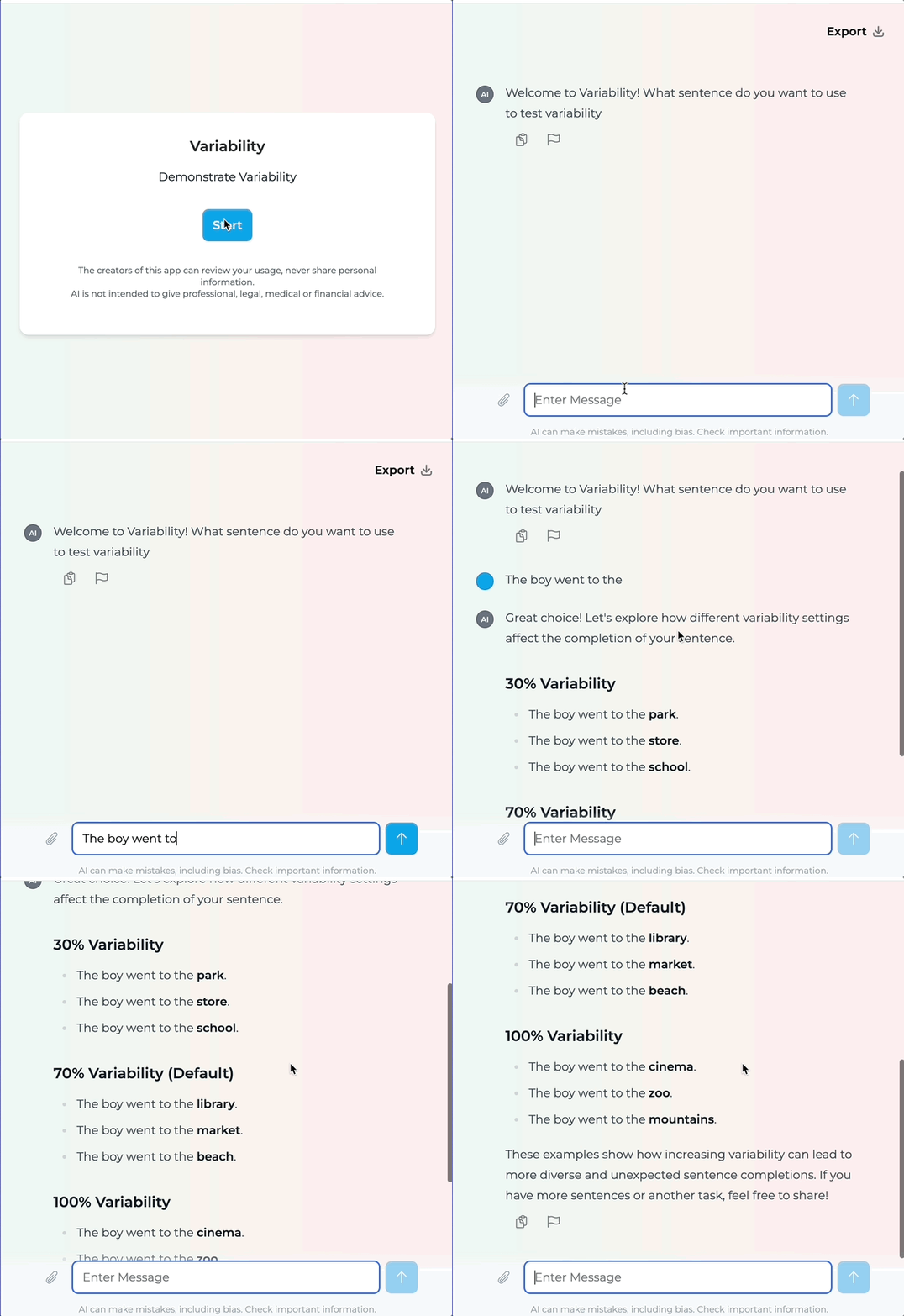 **Variability Levels and Their Impact:**
* **Low Variability (less than 50%)**: Most consistent, reliable outputs
* **Medium Variability (60-70%)**: Balanced performance (70% is the default)
* **High Variability (80-100%)**: Most creative, potentially unpredictable outputs
**Match Variability to Your App Goals:**
Ask yourself these questions:
* Does your app need to provide consistent, predictable responses?
* Is creativity and diversity in responses important?
* How important is reliability versus potential novelty?
* What are your users' expectations for the app's behavior?
Example: A customer service assistant would benefit from low variability, while a creative writing assistant might need high variability.
While in the Playlab app builder:
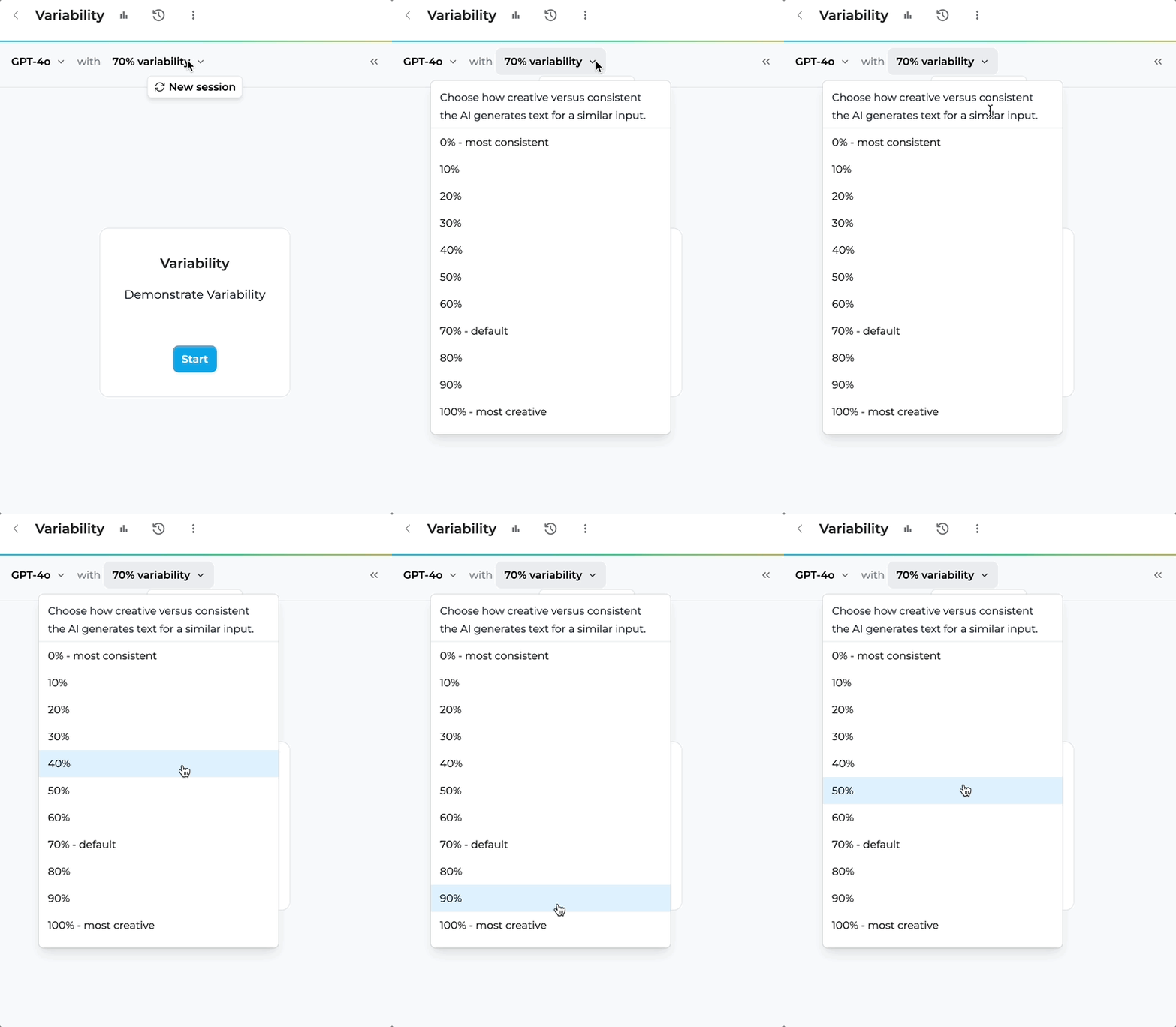
1. Locate the variability dropdown at the top of the builder interface
2. Select the variability that you want to use.
3. Test your app with different settings
**Variability Levels and Their Impact:**
* **Low Variability (less than 50%)**: Most consistent, reliable outputs
* **Medium Variability (60-70%)**: Balanced performance (70% is the default)
* **High Variability (80-100%)**: Most creative, potentially unpredictable outputs
**Match Variability to Your App Goals:**
Ask yourself these questions:
* Does your app need to provide consistent, predictable responses?
* Is creativity and diversity in responses important?
* How important is reliability versus potential novelty?
* What are your users' expectations for the app's behavior?
Example: A customer service assistant would benefit from low variability, while a creative writing assistant might need high variability.
While in the Playlab app builder:
1. Locate the variability dropdown at the top of the builder interface
2. Select the variability that you want to use.
3. Test your app with different settings
 * Use the "Remix" feature to create different versions with varying settings
* Test each version with similar inputs
* Compare outputs for consistency, creativity, and appropriateness
* Gather user feedback on which version best meets their needs
* Refine your selection based on real-world performance
## Variability Comparison Guide
### Understanding the Impact of Different Variability Settings
| Aspect | High Variability (80-100%) | Medium Variability (60-70%) | Low Variability (less than 50%) |
| ------------------------------ | ------------------------------------------------ | ------------------------------------------------- | -------------------------------------------------------------- |
| **Performance Characteristic** | Unpredictable, potentially brilliant | Balanced, consistent | Stable, reliable |
| **Response to Input** | Sensitive to specifics | Adaptable to different inputs | Consistent across inputs |
| **Accuracy** | Can be extremely accurate for familiar inputs | Good performance across various tasks | Dependable results across all tasks |
| **Reliability** | May struggle with new information | More predictable performance | Highly consistent performance |
| **Best Use Cases** | Creative writing, brainstorming, idea generation | General-purpose assistants, balanced applications | Customer service, technical documentation, factual information |
## Key Implementation Dimensions
* High-variability models excel at accuracy on specific, familiar data
* They may struggle with new or unfamiliar data types
* Consider your app's domain and how specialized the knowledge needs to be
* For highly specialized domains with consistent inputs, higher variability may work well
* Medium variability offers steady, adaptable performance
* Provides a good balance for apps that need to handle diverse tasks
* Avoids extreme performance swings while maintaining acceptable creativity
* Default setting (70%) works well for most general applications
* Low-variability models give reliable results across varied tasks
* Ideal for applications where consistency is more important than creativity
* Better at handling changes and new situations in a predictable way
* Recommended for business, customer service, or factual information apps
* Less variability means more predictable performance
* For mission-critical applications, choose medium to low variability
* When consistent user experience is essential, lower variability is preferred
* Applications requiring regulatory compliance benefit from lower variability
## Variability Selection Big Questions
When deciding on variability for your Playlab app, consider:
1. **App Purpose**: What is the primary function of your app?
2. **User Expectations**: What level of consistency do users expect?
3. **Content Type**: Is the content factual, creative, or a mix?
4. **Risk Tolerance**: How important is it to avoid unexpected outputs?
## Frequently Asked Questions
Yes! You can adjust the variability as you'd like or use the "Remix" feature in Playlab to create a new version of your app with different variability settings. This allows you to test multiple versions and compare their performance.
Variability settings primarily affect the consistency and creativity of outputs, not the processing speed. Response times are more influenced by model size and complexity rather than variability settings.
For knowledge base applications where factual accuracy and consistency are important, a lower variability setting (30 to 50%) is generally recommended. This ensures more reliable and predictable information retrieval.
Variability settings will vary with different LLMs, but these models may already have certain biases toward consistency based on their training. It's best to test different variability settings even with different models to find the optimal balance.
## Need Support?
Have you experimented with different variability settings? We'd love to hear about your experience!
Contact us at [support@playlab.ai](mailto:support@playlab.ai)
Last updated: 04-04-2025
* Use the "Remix" feature to create different versions with varying settings
* Test each version with similar inputs
* Compare outputs for consistency, creativity, and appropriateness
* Gather user feedback on which version best meets their needs
* Refine your selection based on real-world performance
## Variability Comparison Guide
### Understanding the Impact of Different Variability Settings
| Aspect | High Variability (80-100%) | Medium Variability (60-70%) | Low Variability (less than 50%) |
| ------------------------------ | ------------------------------------------------ | ------------------------------------------------- | -------------------------------------------------------------- |
| **Performance Characteristic** | Unpredictable, potentially brilliant | Balanced, consistent | Stable, reliable |
| **Response to Input** | Sensitive to specifics | Adaptable to different inputs | Consistent across inputs |
| **Accuracy** | Can be extremely accurate for familiar inputs | Good performance across various tasks | Dependable results across all tasks |
| **Reliability** | May struggle with new information | More predictable performance | Highly consistent performance |
| **Best Use Cases** | Creative writing, brainstorming, idea generation | General-purpose assistants, balanced applications | Customer service, technical documentation, factual information |
## Key Implementation Dimensions
* High-variability models excel at accuracy on specific, familiar data
* They may struggle with new or unfamiliar data types
* Consider your app's domain and how specialized the knowledge needs to be
* For highly specialized domains with consistent inputs, higher variability may work well
* Medium variability offers steady, adaptable performance
* Provides a good balance for apps that need to handle diverse tasks
* Avoids extreme performance swings while maintaining acceptable creativity
* Default setting (70%) works well for most general applications
* Low-variability models give reliable results across varied tasks
* Ideal for applications where consistency is more important than creativity
* Better at handling changes and new situations in a predictable way
* Recommended for business, customer service, or factual information apps
* Less variability means more predictable performance
* For mission-critical applications, choose medium to low variability
* When consistent user experience is essential, lower variability is preferred
* Applications requiring regulatory compliance benefit from lower variability
## Variability Selection Big Questions
When deciding on variability for your Playlab app, consider:
1. **App Purpose**: What is the primary function of your app?
2. **User Expectations**: What level of consistency do users expect?
3. **Content Type**: Is the content factual, creative, or a mix?
4. **Risk Tolerance**: How important is it to avoid unexpected outputs?
## Frequently Asked Questions
Yes! You can adjust the variability as you'd like or use the "Remix" feature in Playlab to create a new version of your app with different variability settings. This allows you to test multiple versions and compare their performance.
Variability settings primarily affect the consistency and creativity of outputs, not the processing speed. Response times are more influenced by model size and complexity rather than variability settings.
For knowledge base applications where factual accuracy and consistency are important, a lower variability setting (30 to 50%) is generally recommended. This ensures more reliable and predictable information retrieval.
Variability settings will vary with different LLMs, but these models may already have certain biases toward consistency based on their training. It's best to test different variability settings even with different models to find the optimal balance.
## Need Support?
Have you experimented with different variability settings? We'd love to hear about your experience!
Contact us at [support@playlab.ai](mailto:support@playlab.ai)
Last updated: 04-04-2025