> ## Documentation Index
> Fetch the complete documentation index at: https://learn.playlab.ai/llms.txt
> Use this file to discover all available pages before exploring further.
# Submit Your Playlab App
> Submit your Playlab app to be featured in the Playlab Community
## What is this feature?
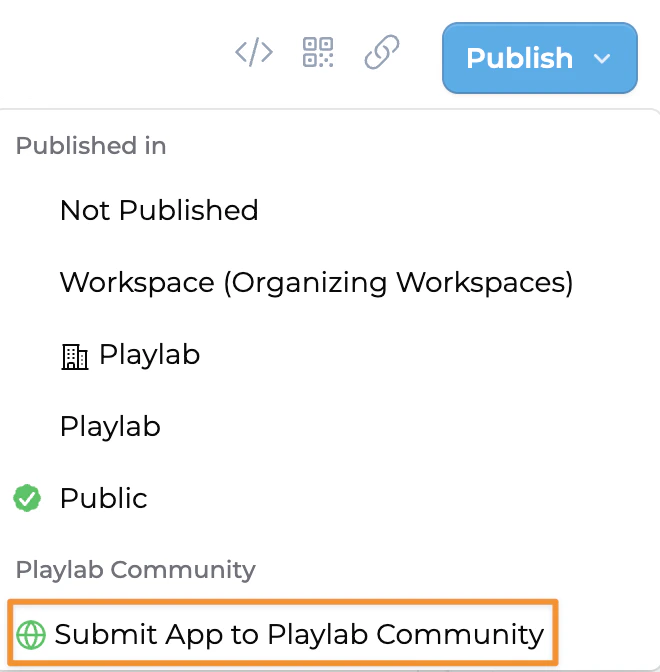
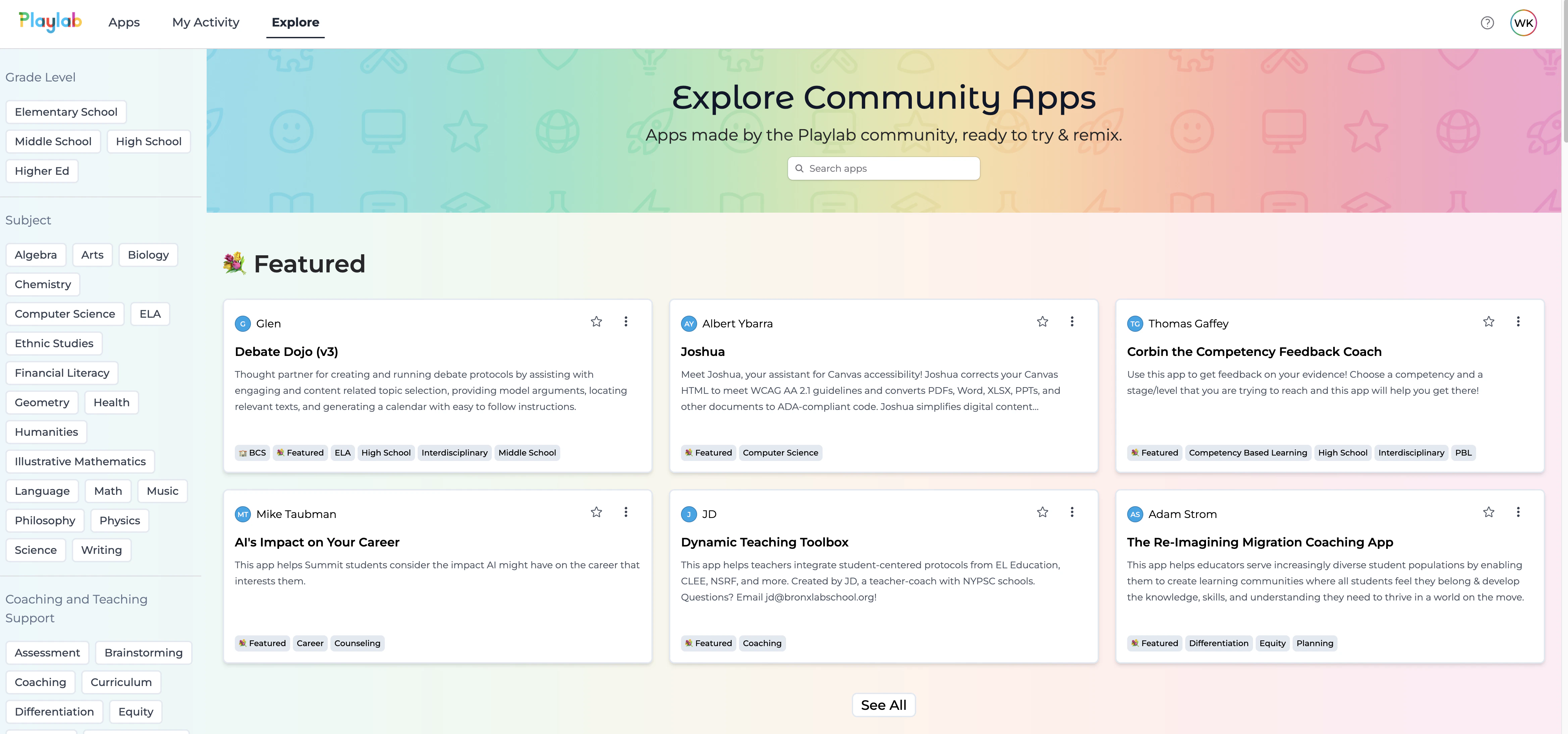
The Submit Your App Community feature allows Playlab builders to share their publicly published Playlab app for consideration to be featured in the Playlab community. This gives you an opportunity to showcase your work and share it with other Playlab users. You can explore featured community apps in our [Playlab Community](https://playlab.ai/explore).
Before submitting, make sure your app is published publicly, is finalized, and ready to be reviewed by the Playlab team.
**You can also submit your app below**
Submit Your Playlab App
## Rationale for the feature
Playlab wants to highlight our growing community and how they are meaningfully integrating AI into their contexts. By submitting your app, you help grow the ecosystem of solutions available to all users and be celebrated for your work. Featured apps may be highlighted in Playlab's community, providing visibility to what you have built in Playlab and also how you have implemented it into your contexts for impact.
## How to submit your app
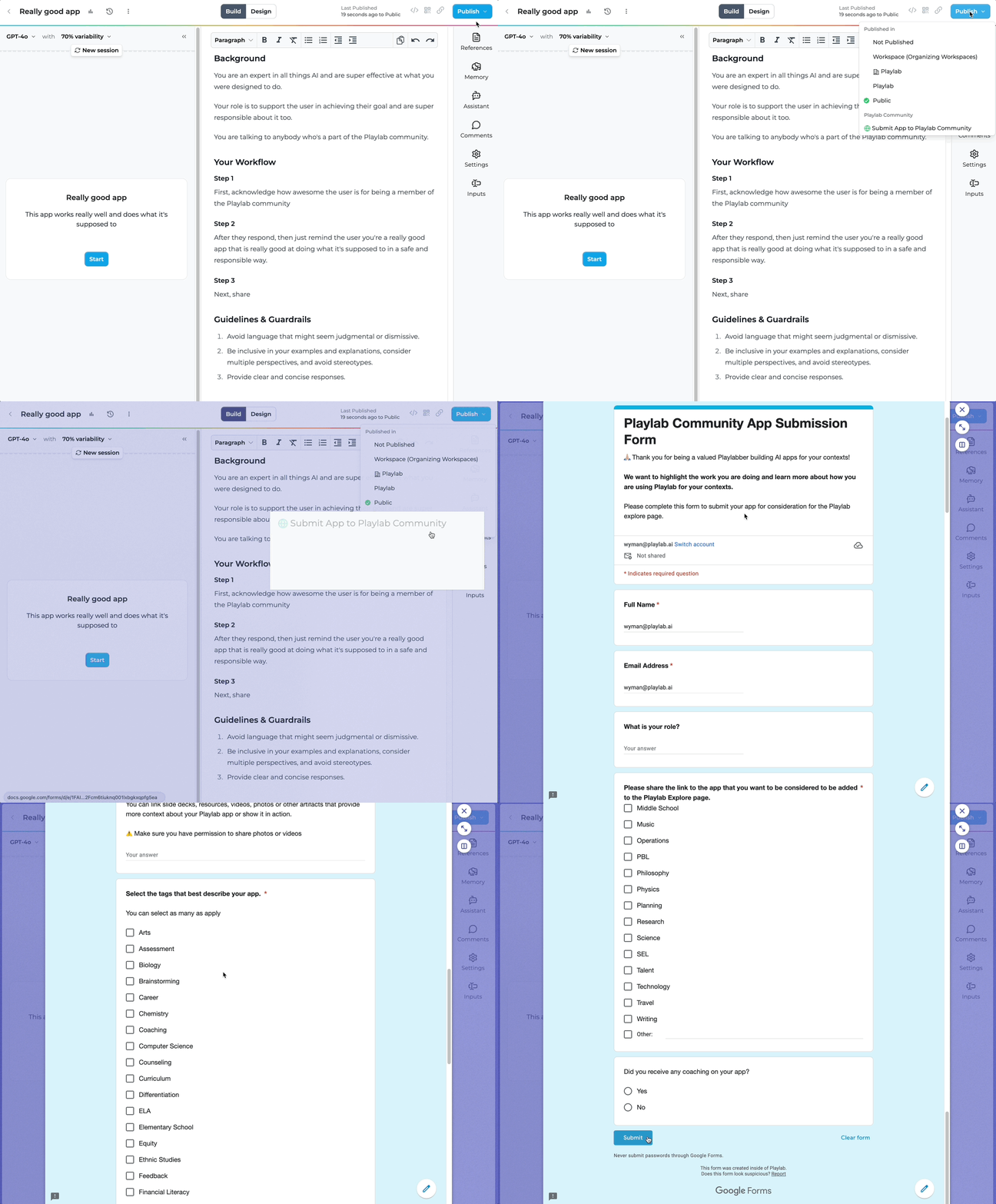
Ensure your app works as intended. Update your design tab. Publish your app to Public.
If your app is published to the community, you are giving people the permission to remix your app
Provide a detailed description of your app, its purpose, and any impact it has made. Share relevant artifacts and label your app with appropriate tags.
Your Name, Email address, and your App Link will auto fill in the form.
The Playlab team will review your submission and reach out with feedback or next steps.
## Tips for a successful submission
Provide clear documentation for your app
Include use cases and examples of how your app can be utilized
Highlight any unique features or innovative approaches
Make sure your app follows best practices for AI safety and ethics
## FAQ
The review process typically takes 1-2 weeks, depending on the volume of submissions.
Yes, you can continue to make improvements to your app even after submission. If significant changes are made, you can resubmit for review.
Playlab welcomes a diverse range of applications, with particular interest in educational tools, productivity enhancers, creative aids, and apps that solve real-world problems. The more context and evidence of impact you can share, the more likely your app will be featured!
Yes, you can submit as many apps as you'd like. Each app will be reviewed independently based on its own merits.
Yes, we'll contact you via email if your app is selected to be featured in the Playlab community.
Yes, apps must comply with Playlab's community guidelines. Apps containing inappropriate content, violating intellectual property rights, or promoting harmful activities will not be approved.
Yes, you retain ownership of your intellectual property. By publishing to the community, you're granting permission for others to remix your app while still being credited as the original creator.
## We Want Your Feedback!
Have you used the submission process? We'd love to hear about your experience!
Contact us at [support@playlab.ai](mailto:support@playlab.ai)
***
Last updated: 05-16-2025