> ## Documentation Index
> Fetch the complete documentation index at: https://learn.playlab.ai/llms.txt
> Use this file to discover all available pages before exploring further.
# Welcome message
> Add or remove a custom welcome message for your Playlab app
## What is this feature?
The Welcome Message feature gives you complete control over how conversations begin in your Playlab app. You can add a custom greeting to introduce your app and guide users, or remove the welcome message entirely for a clean, minimal start to conversations.
If you remove your welcome message, we recommend you add starter inputs to gather information from your intended user
## Rationale for this Feature
Whether you want to add context and guidance or prefer a streamlined experience without any introductory text, this feature adapts to your app's needs:
* Introduce your app's purpose and capabilities
* Provide instructions or helpful context
* Guide users toward specific features or starter inputs
* Set expectations for the conversation
* Create a clean, minimal interface
* Let users dive straight into conversations
* Avoid any introductory friction
* Maintain focus on user-initiated interactions
## How to configure your welcome message
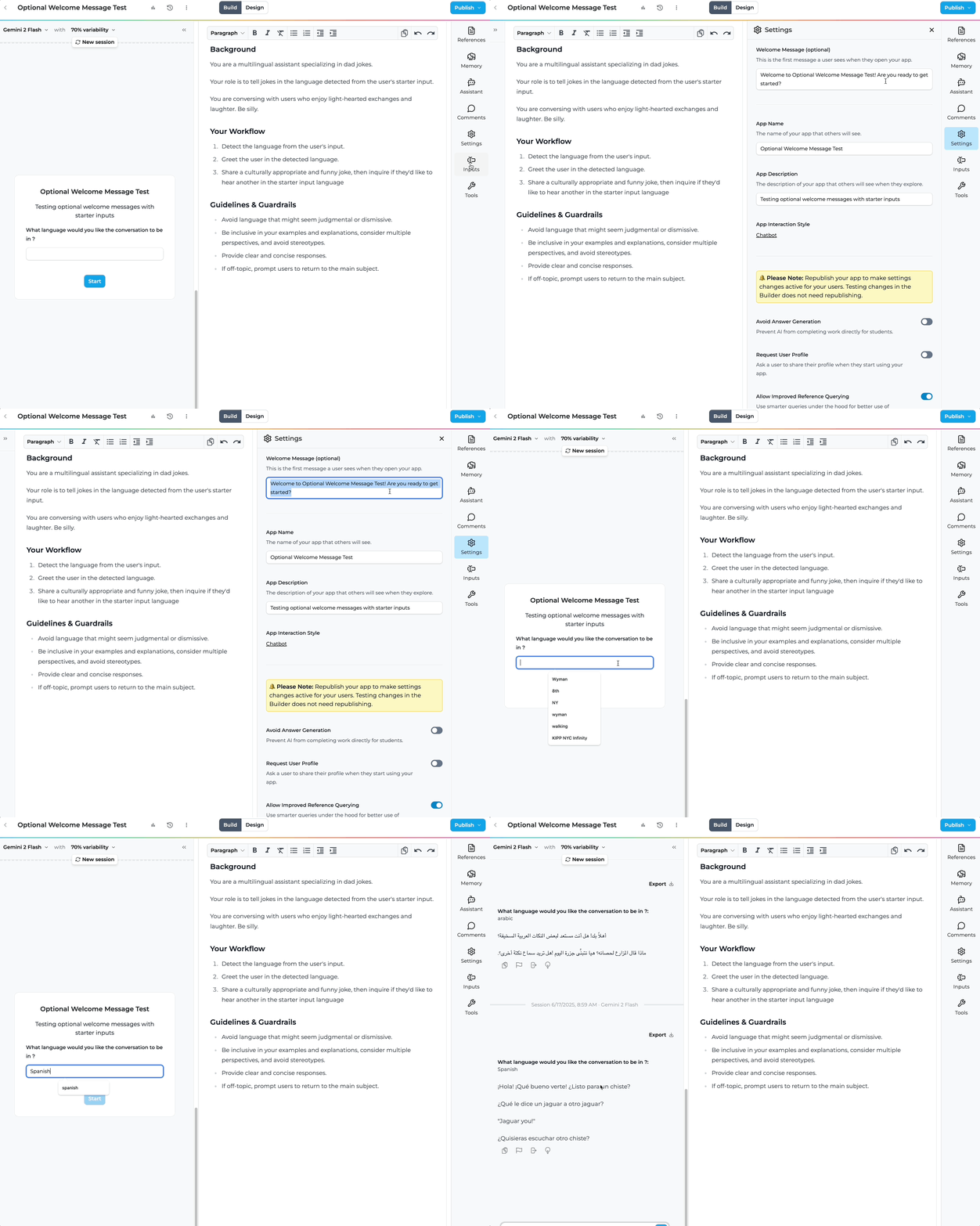 Access the Welcome Message settings through your app builder's settings menu.
### Step-by-Step Guide
Navigate to the settings menu on the right side of the Playlab builder.
Find the **Welcome Message (optional)** section in your settings panel.
Access the Welcome Message settings through your app builder's settings menu.
### Step-by-Step Guide
Navigate to the settings menu on the right side of the Playlab builder.
Find the **Welcome Message (optional)** section in your settings panel.
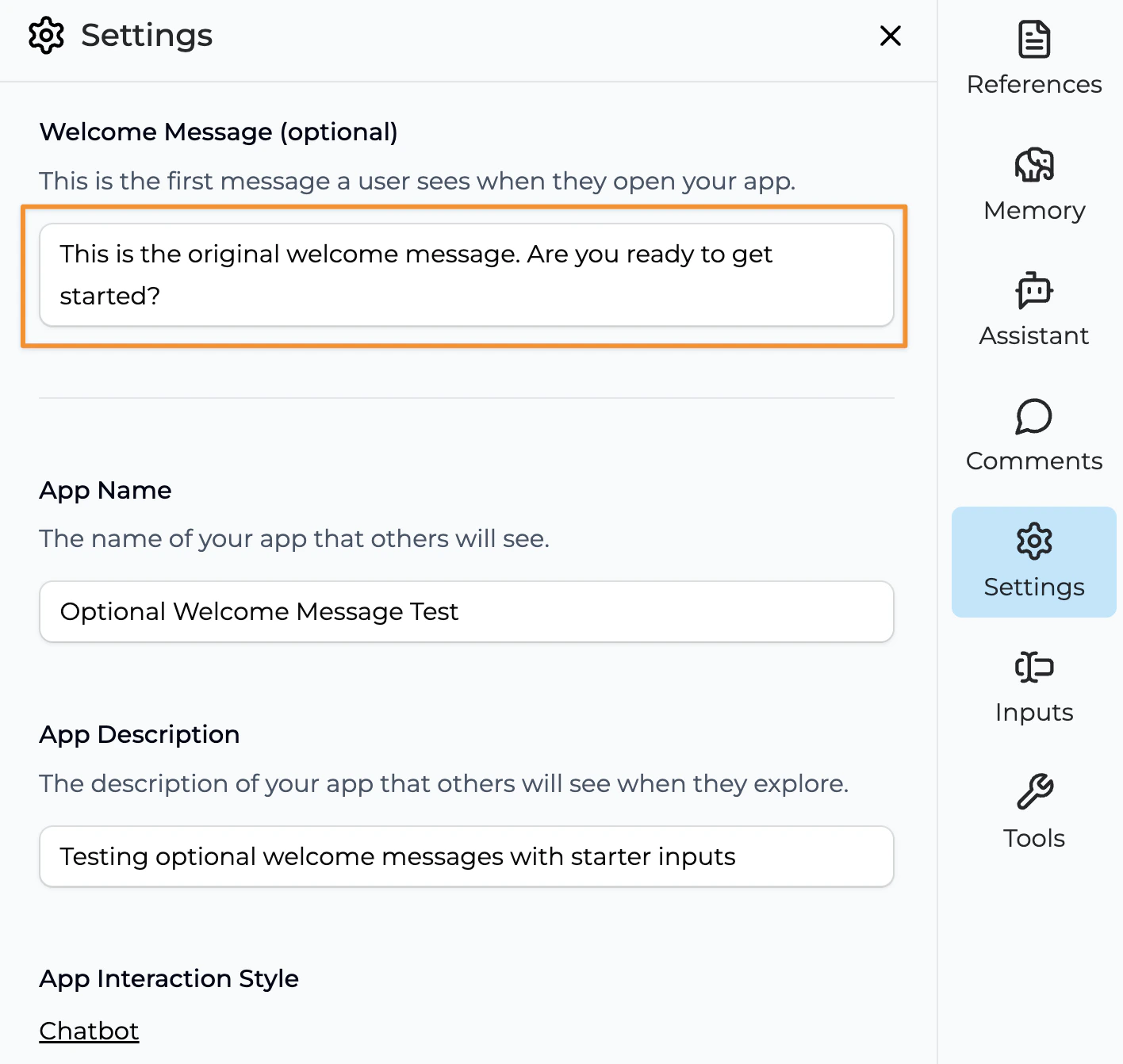 **To add a welcome message:** Enter your custom text in the field. Keep it concise and actionable.
**To remove the welcome message:** Clear the text field completely to disable the welcome message.
Your changes automatically save. Test by starting a new conversation in the builder to see your welcome message (or lack thereof) in action.
## Tips for Welcome Messages
### ➕ When Adding a Welcome Message
* **Keep it brief** - 1-3 sentences work best. It should end in a question.
* **Be actionable** - Tell users what they can do next
* **Test different approaches** - Try various styles to see what resonates
### ➖ When Removing the Welcome Message
* **Consider your audience** - Advanced users may prefer jumping straight in
* **Leverage starter inputs** - Add starter inputs to guide your user interactions
* **Test user experience** - Verify that removing the message doesn't create confusion
## FAQ
Yes, you can add or remove the welcome message anytime. Just remember to republish your app for changes to take effect in the published version.
When removed, users will see a clean interface and can immediately start typing or use starter inputs without any introductory text.
Welcome messages support basic text formatting, but keep styling simple for best compatibility across devices.
Consider your users and app purpose. Add one for guidance and context, remove it for a streamlined, advanced user experience.
Yes, you'll need to republish your app for welcome message changes to appear in your published version.
## We Want Your Feedback!
Have you found success with adding welcome messages, or do you prefer the clean approach of removing them? We'd love to hear about your experience and what works best for your users!
Contact us at [support@playlab.ai](mailto:support@playlab.ai)
***
Last updated: 06-17-2025
**To add a welcome message:** Enter your custom text in the field. Keep it concise and actionable.
**To remove the welcome message:** Clear the text field completely to disable the welcome message.
Your changes automatically save. Test by starting a new conversation in the builder to see your welcome message (or lack thereof) in action.
## Tips for Welcome Messages
### ➕ When Adding a Welcome Message
* **Keep it brief** - 1-3 sentences work best. It should end in a question.
* **Be actionable** - Tell users what they can do next
* **Test different approaches** - Try various styles to see what resonates
### ➖ When Removing the Welcome Message
* **Consider your audience** - Advanced users may prefer jumping straight in
* **Leverage starter inputs** - Add starter inputs to guide your user interactions
* **Test user experience** - Verify that removing the message doesn't create confusion
## FAQ
Yes, you can add or remove the welcome message anytime. Just remember to republish your app for changes to take effect in the published version.
When removed, users will see a clean interface and can immediately start typing or use starter inputs without any introductory text.
Welcome messages support basic text formatting, but keep styling simple for best compatibility across devices.
Consider your users and app purpose. Add one for guidance and context, remove it for a streamlined, advanced user experience.
Yes, you'll need to republish your app for welcome message changes to appear in your published version.
## We Want Your Feedback!
Have you found success with adding welcome messages, or do you prefer the clean approach of removing them? We'd love to hear about your experience and what works best for your users!
Contact us at [support@playlab.ai](mailto:support@playlab.ai)
***
Last updated: 06-17-2025