> ## Documentation Index
> Fetch the complete documentation index at: https://learn.playlab.ai/llms.txt
> Use this file to discover all available pages before exploring further.
# AI Assisted Builder
> Let AI help you build and enhance your Playlab apps with intelligent suggestions and automation
## What is this feature?
The AI Assisted Builder provides AI-powered assistance to help you design, build, and enhance your Playlab applications. It offers intelligent suggestions, automates repetitive tasks, and guides you through complex development processes.
Using the AI Assisted Builder will provide suggestions that you can choose to adapt or not. You get to make the choice.
## How does this feature work?
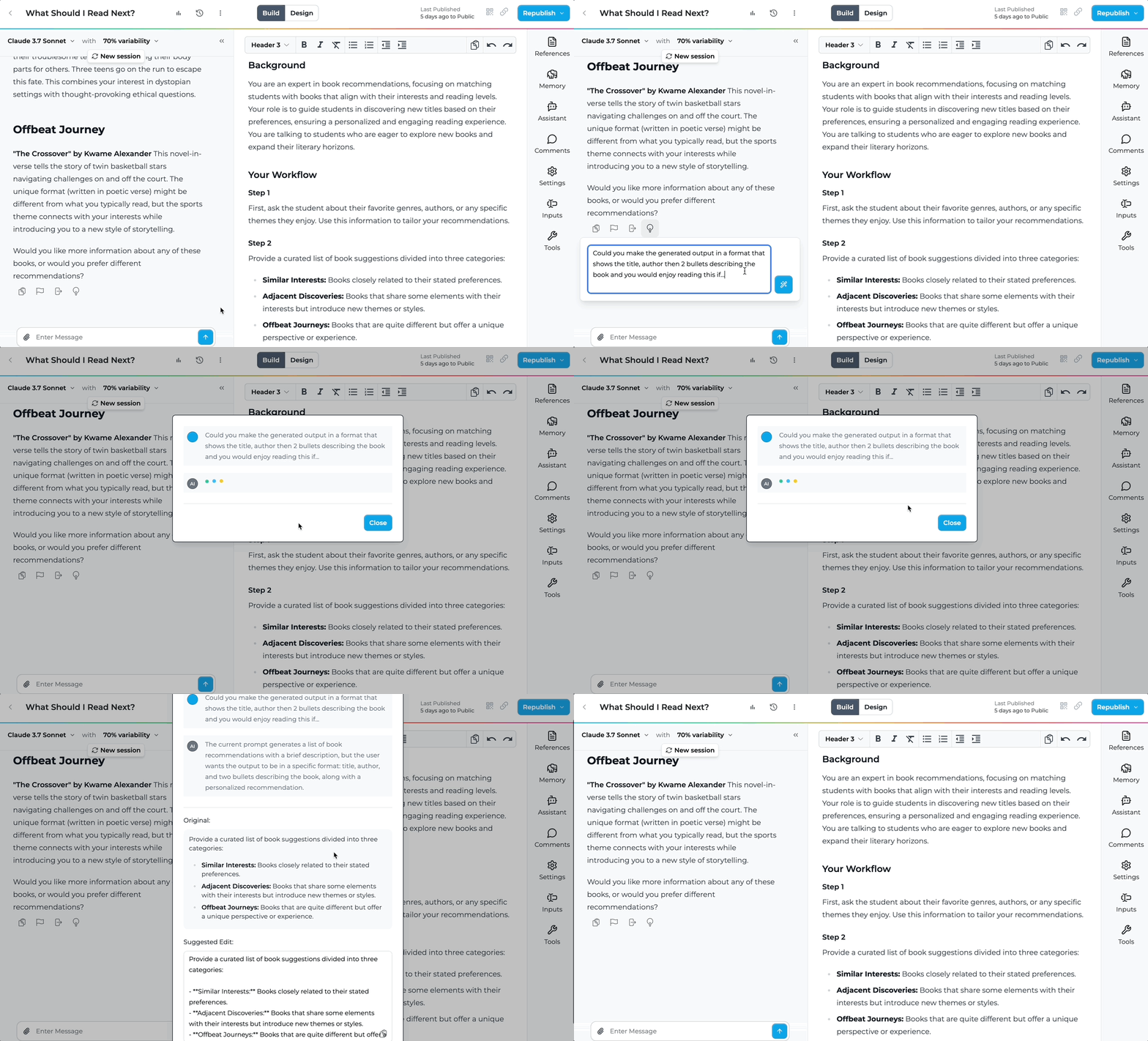 ## Rationale for the feature
Building apps can be complex and time-consuming. This AI assistant helps you improve your prompts by providing suggestions and structures for your Playlab prompt.
## Watch how to use Assisted Builder
Pull up your Playlab app in the builder view.
In the builder view, test out the prompt and identify the AI response you want additional support with.
## Rationale for the feature
Building apps can be complex and time-consuming. This AI assistant helps you improve your prompts by providing suggestions and structures for your Playlab prompt.
## Watch how to use Assisted Builder
Pull up your Playlab app in the builder view.
In the builder view, test out the prompt and identify the AI response you want additional support with.
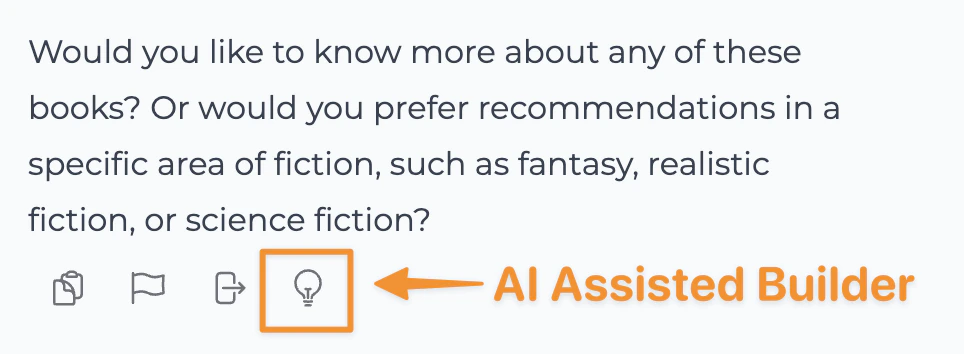 Select the portion begin developing your app with real-time AI suggestions and automated assistance.
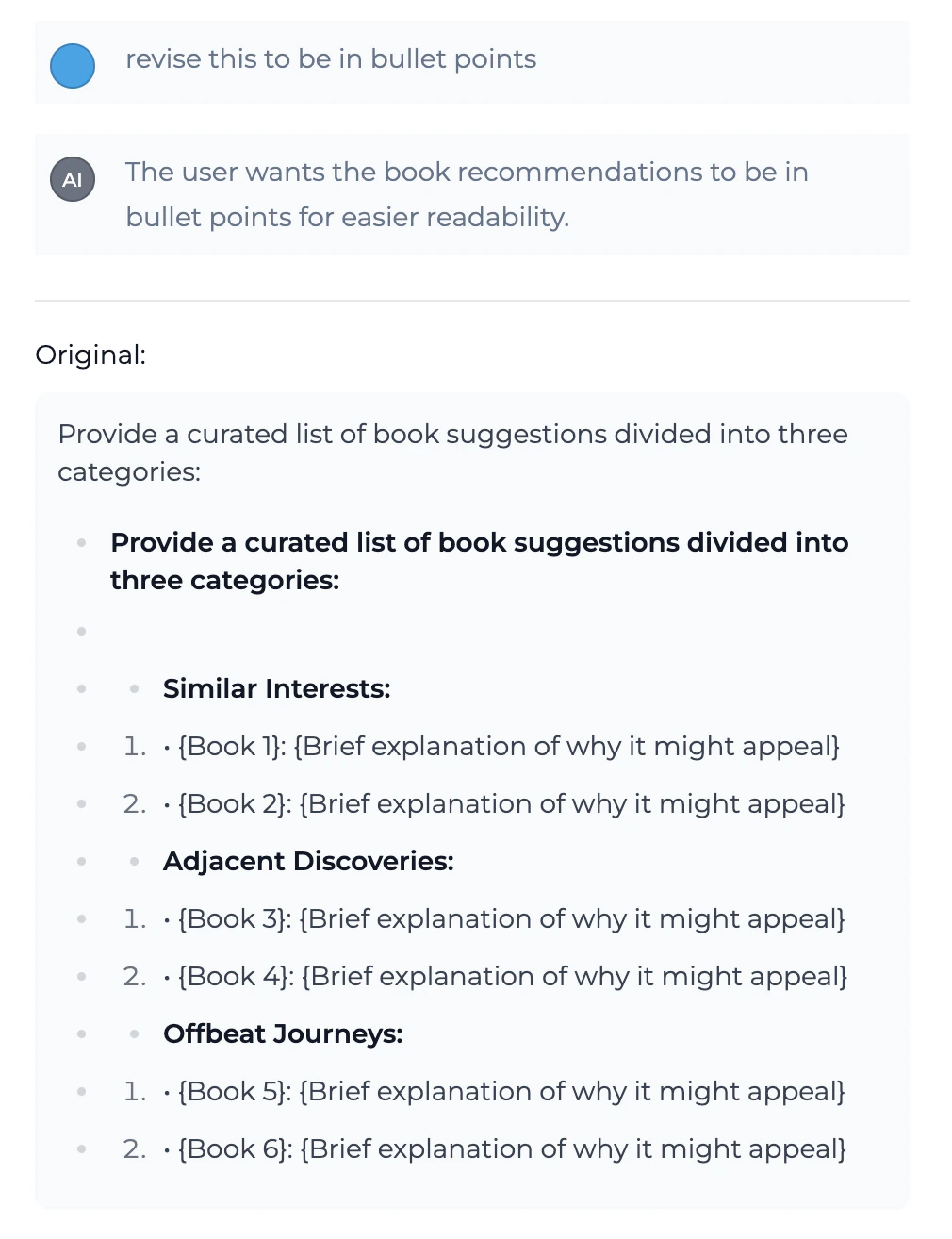 Always review AI-generated prompting and suggestions before implementing them in production.
Select the portion of the feedback you want to incorporate into your prompt for your Playlab app and test.
Keep using the assisted builder or the Playlab assistant as necessary
## Tips for Using Assisted Builder Effectively
### Best Practices
Provide detailed information about your app's purpose, target audience, and key features to receive more relevant assistance.
Don't blindly accept all suggestions. Take time to understand the reasoning behind recommendations and how they fit your specific needs.
Use the feedback loop to improve AI suggestions by rating recommendations and providing context about what works for your project.
Use the AI Assisted Builder as a powerful tool to augment your skills, not replace your decision-making and creative input.
## FAQ
The AI Assisted builder has been designed to leverage its understanding of building impactful Playlab apps to support you in your building by offering tailored feedback and suggestions.
Yes, you can pick and choose when to use the assisted builder when you would like or not.
Yes. It reads your current prompt, references, and settings, and its suggestions build on what you've already created. You choose which suggestions to apply.
Yes. Your prompt and app data are processed securely and are not stored or shared. Suggestions are generated in real time with no permanent data retention.
## Important Considerations
Always review AI-generated suggestions before adding it to your prompt and publishing your Playlab app. While Assisted Builder provides intelligent suggestions, human oversight is essential for quality and security.
Assisted Builder is designed to enhance your development process, not replace your expertise. Use it as a powerful tool to accelerate development while maintaining control over your app's architecture and design decisions.
## We Want Your Feedback!
Have you used Assisted Builder to create something amazing? We'd love to hear about your experience and any suggestions for improvement!
Contact us at [support@playlab.ai](mailto:support@playlab.ai)
***
Last updated: 05-27-2026
Always review AI-generated prompting and suggestions before implementing them in production.
Select the portion of the feedback you want to incorporate into your prompt for your Playlab app and test.
Keep using the assisted builder or the Playlab assistant as necessary
## Tips for Using Assisted Builder Effectively
### Best Practices
Provide detailed information about your app's purpose, target audience, and key features to receive more relevant assistance.
Don't blindly accept all suggestions. Take time to understand the reasoning behind recommendations and how they fit your specific needs.
Use the feedback loop to improve AI suggestions by rating recommendations and providing context about what works for your project.
Use the AI Assisted Builder as a powerful tool to augment your skills, not replace your decision-making and creative input.
## FAQ
The AI Assisted builder has been designed to leverage its understanding of building impactful Playlab apps to support you in your building by offering tailored feedback and suggestions.
Yes, you can pick and choose when to use the assisted builder when you would like or not.
Yes. It reads your current prompt, references, and settings, and its suggestions build on what you've already created. You choose which suggestions to apply.
Yes. Your prompt and app data are processed securely and are not stored or shared. Suggestions are generated in real time with no permanent data retention.
## Important Considerations
Always review AI-generated suggestions before adding it to your prompt and publishing your Playlab app. While Assisted Builder provides intelligent suggestions, human oversight is essential for quality and security.
Assisted Builder is designed to enhance your development process, not replace your expertise. Use it as a powerful tool to accelerate development while maintaining control over your app's architecture and design decisions.
## We Want Your Feedback!
Have you used Assisted Builder to create something amazing? We'd love to hear about your experience and any suggestions for improvement!
Contact us at [support@playlab.ai](mailto:support@playlab.ai)
***
Last updated: 05-27-2026